Context
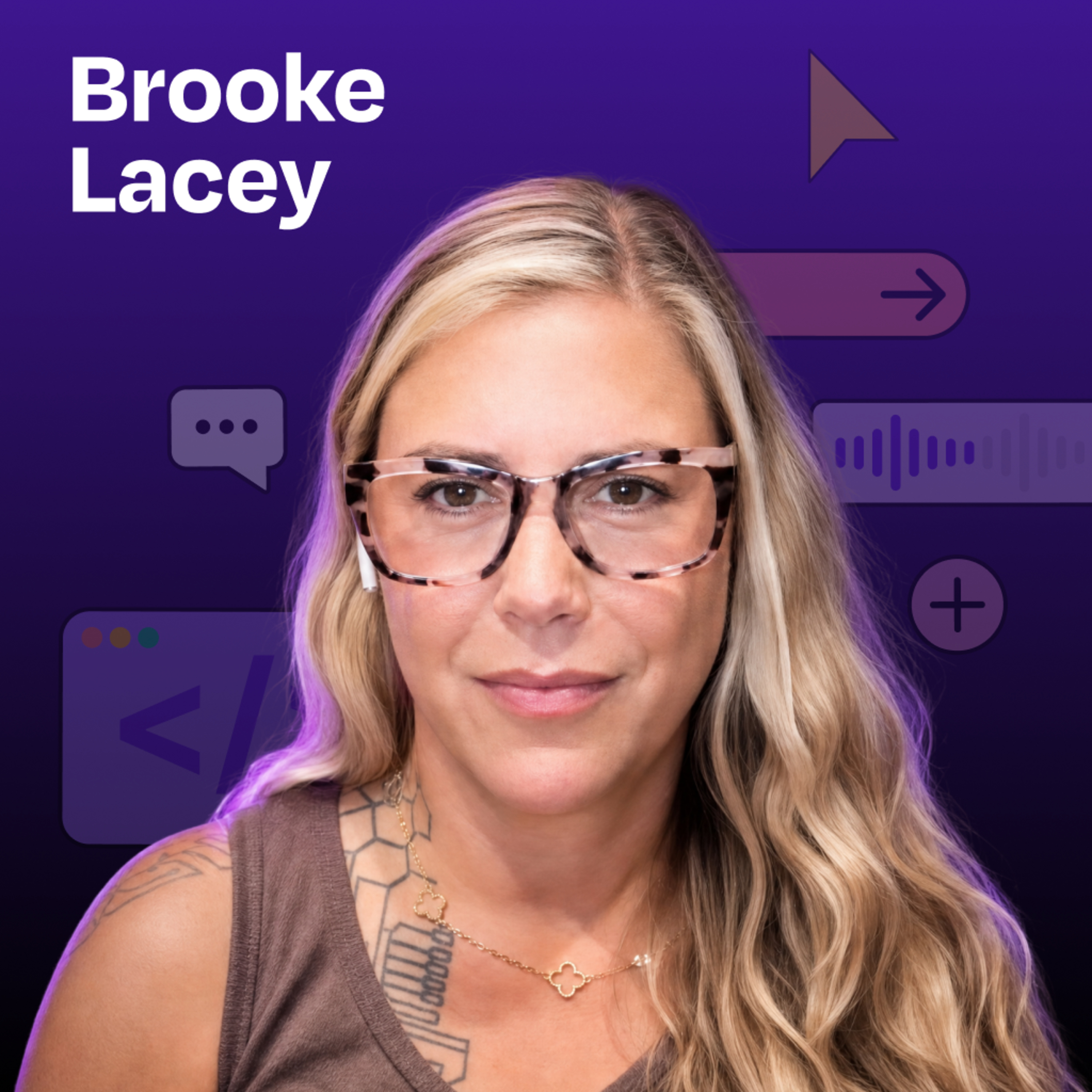
Brooke Lacey has been making video content since before Facebook supported video, and she built a TikTok audience of more than 290,000 by learning short-form editing herself. In this episode she shows how Claude Code, FFmpeg, Whisper, and a local terminal workflow cut a raw phone video into a TikTok-ready clip in about 15 seconds. The PM lesson is not "AI can make content fast." It is that AI becomes far more useful once you can turn tacit quality standards, like timing, cadence, and what counts as a good hook, into explicit instructions and reusable assets.
The Big Idea
AI works best on creative workflows when it operates against a standard you already understand well. Brooke did not ask Claude Code to "be funny." She taught it what a correct short-form edit looks and sounds like, then let it execute that standard at machine speed.
That matters to PMs because the same pattern applies beyond video. Teams get the biggest leverage from AI when they encode real craft, real user language, and real constraints, not when they hope a generic prompt will invent those things for them.
Key Insights
Craft still drives automation
Brooke is clear that the speed came after years of doing the work herself.
- She had already spent years learning jump-cut timing, pacing, and how a short-form joke lands.
- She had tried teaching human editors to match her style, and even that often failed because the details were subtle: facial expressions, the exact frame where a cut should land, and when a line sounds funny instead of flat.
- Her point is important for PMs using AI in any domain: automation got good because she knew the quality bar well enough to specify it. The tool did not create the bar.
Local tools created leverage
The workflow is strikingly simple underneath the AI layer.
- The raw phone video stays on Brooke's computer. She repeatedly stresses that the files are local, not uploaded into a separate editing platform.
- Claude Code acts like an operating layer across existing tools already available on a computer: FFmpeg, Whisper, and Python.
- In the demo, that stack found speech, trimmed silence, added captions, tracked her face, changed shot size, and rendered a vertical short in about 15 seconds.
For PMs, the lesson is that meaningful AI automation often comes from orchestration, not from adding one more specialized SaaS tool.
Editing rules became data
The most reusable part of Brooke's setup is not the final video. It is the fact that the edit can be represented as structured text.
- Claude described the edit as a file where each row contains a start time, end time, shot size, and label.
- Brooke calls this realization "the edit is text." Once the cuts are data, the workflow becomes easier to repeat, debug, and repurpose.
- In the demo, the same structure supported different outputs from the same take, including 15-second, 30-second, 60-second, and landscape versions.
That is a strong PM pattern: once a creative or operational decision can be expressed as a machine-readable structure, the work becomes easier to scale.
Comments became content briefs
Brooke does not brainstorm new videos in a vacuum. She mines audience comments for the next script.
- Because TikTok is restrictive about scraping and downloading, she manually downloads her own videos on her phone, puts them into Google Drive, and lets Claude pair the video with the comment thread.
- Claude can then read what viewers are asking, pushing back on, or reacting to, and use that language to suggest follow-up content.
- Brooke highlighted comments such as concerns about AI replacing roles, questions about hospitals using AI for billing, and reactions to Andrej Karpathy's comments about coding. Those are not generic ideas. They are audience-provided prompts.
For PMs, this is the same discovery principle as mining support tickets or sales calls. The best input for the next roadmap item often comes from the language users already gave you.
Style required explicit teaching
Brooke did not stop at teaching the mechanics of editing. She also taught Claude how her style works.
- She explicitly pointed Claude to things like her cadence, her hooks, and what counts as funny in her delivery.
- One example she gives is the line, "I've been in tech for 25 years and I've never been more scared for people." She wanted Claude to notice the little laugh and the way that rhythm functions as a hook.
- She also explains that some formats are still harder. Her two-character back-and-forth comedy relies on absurdity, pacing, and facial expressions in ways she has not fully encoded yet.
The PM lesson is that quality often lives in tacit taste. If a team wants AI help on high-judgment work, it has to surface that taste and make it discussable.
Audience maturity changed cadence
Brooke posts only about once a week right now, but she is careful not to present that as a universal rule.
- She says that works because she "did the work" for years and already has a large engaged audience whose older content continues to circulate.
- Her next growth moves are not "post more." They are more live streaming and testing TikTok ads for her products.
- She also tells Claude when a video is an ad, because she expects a different structure from organic content.
That matters to PMs because process advice is often stage-dependent. What works for an established channel or product is not automatically the right playbook for something new.
Mental Models & Frameworks
The edit is text
This is the deepest idea in the episode.
- A finished short-form edit can be broken into structured decisions: where speech starts and stops, where the cut lands, which shot size to use, where captions appear, and when graphics enter.
- Once those decisions are written as text or tabular data, an AI agent can regenerate the output repeatedly instead of treating editing like a one-off manual act.
- Use this model whenever a team says a workflow is "creative" and therefore hard to automate. The first question is whether the real decisions can be expressed as a sequence of rules, labels, and timing data.
Encode taste as instructions
Brooke's workflow shows a practical way to capture tacit judgment.
- Start with a craft area you already know well enough to critique precisely.
- Identify the parts that make the outcome feel right: hook structure, cadence, cut timing, zoom moments, caption style, or when something sounds funny.
- Convert those from feelings into explicit instructions the agent can test against.
Use this when a team has quality standards that live only in one expert's head. The goal is not perfect automation on day one. The goal is making invisible judgment visible enough to iterate.
Use comments as discovery
Brooke treats audience comments as product input for the next piece of content.
- The content itself provides context.
- The comment thread reveals confusion, disagreement, fear, and curiosity.
- The next script is built from that language, not from a blank page.
PMs can use the same loop with support tickets, user interviews, sales calls, community forums, or App Store reviews. It is a lightweight way to turn audience reaction into an ongoing discovery system.
Separate content by intent
Brooke distinguishes between organic short-form content and paid ads.
- Organic clips can lean harder on personality, humor, and native platform rhythm.
- Ads need a different structure, even if the same person and product are involved.
- She tells Claude which job the video is supposed to do so the system does not apply one style blindly to every format.
Use this model when an AI workflow seems inconsistent. Sometimes the problem is not output quality. It is that the agent was never told which kind of artifact it was producing.
Decision Principles
Principle: Automate proven craft
- When: a team wants to speed up work that already has a known quality bar.
- Why: Brooke got useful automation because she already knew how a correct short-form edit should feel. AI amplified a mature workflow. It did not invent one.
Principle: Mine audience language
- When: a team is deciding what to make next, how to position it, or what message will resonate.
- Why: audience comments often contain clearer problem statements than internal brainstorming. Brooke used comment threads to generate new script ideas grounded in what viewers were already asking and worrying about.
Principle: Start from local tools
- When: a workflow involves sensitive assets, large files, or existing desktop capabilities.
- Why: Brooke's setup worked by letting Claude Code operate tools already available on her machine. That reduced friction and kept the raw media on her computer.
Trade-offs & Nuance
Speed needs human taste
Brooke's result sounds magical, but she repeatedly adds a caveat: she has been doing short-form video for a long time.
A PM should read this as a leverage story, not a replacement story. AI can compress execution time dramatically, but only after someone has learned what "good" looks like well enough to teach it.
Weekly posting is situational
Brooke can post roughly once a week and still keep an engaged audience because she has years of prior audience-building behind her and older content still resurfaces.
That should not be generalized into a universal growth tactic. A new creator, a new brand, or a new product may need far more volume before a low-frequency schedule becomes viable.
Platform limits shape automation
The workflow is not fully seamless because TikTok imposes real constraints.
- Brooke says TikTok is precise enough on the back end that scraping and repeated automated downloads are not straightforward.
- She works around that by manually downloading her own videos on her phone and storing them in Google Drive.
- She can read comments while logged in, but the platform boundaries still shape what can be automated.
The PM lesson is simple: system design is always constrained by the least open part of the stack.
Comedy stays partly manual
Brooke has made strong progress on solo talking-head videos, but she is open about what is still hard.
Her two-person back-and-forth comedy format depends on absurdity, reaction timing, and facial expression in a way she has not fully taught Claude yet. That is a useful reminder that some high-context creative work will remain partly manual longer than more structured formats.
Common Mistakes
Mistake: Asking for generic funny
Brooke laughs at the idea of simply telling Claude to "make a funny video."
That fails because the important parts are too vague. The better approach is to specify the actual mechanics of the style: where cuts land, when zooms happen, how captions behave, and what a hook sounds like.
Mistake: Skipping the style library
Brooke's workflow improved because she had a corpus of past TikTok videos and comment threads to reference.
Without a reusable library of examples, the agent has much less signal about tone, pacing, and what has already worked with the audience.
Mistake: Outsourcing before learning craft
Brooke explicitly says this is not something she "just picked up." She had to learn the basics of video editing first.
The mistake for PMs is expecting AI to substitute for foundational understanding. In practice, the people who benefit most are often the people who already know how to judge the output.
Practical Application
Write your editing rubric
Take one repeatable artifact your team produces, such as a growth email, onboarding screen, demo video, or product update, and write the rules that make it good.
- List the exact decisions a reviewer makes.
- Separate mechanics from taste. For a video, that might include silence trimming, shot changes, caption style, and where to place supporting visuals.
- Use the list as the first version of an AI instruction file.
This is the fastest way to discover whether your team's quality bar is clear enough to automate.
Prototype a local edit chain
If your workflow uses files that already live on a laptop, test a local-first setup before buying another platform.
- Start with one raw asset type, such as a phone video, customer call recording, or exported CSV.
- Let an AI agent orchestrate tools that already exist, such as transcription, conversion, summarization, or basic rendering.
- Measure whether the real gain comes from orchestration rather than from a new specialized app.
Brooke's workflow is a reminder that large productivity gains can come from connecting boring tools well.
Build a reusable video corpus
Create a small library of your best-performing artifacts and annotate why they worked.
- Save the raw source, final output, transcript, and audience reaction.
- Add notes about hook type, pacing, objections handled, or moments that drove replies.
- Use that library as grounding material for future prompts and critiques.
Even outside creator work, this is a useful pattern for launch emails, PRDs, decks, sales enablement, or onboarding flows.
Mine comments before brainstorming
Before your next campaign or feature pitch, collect real user language first.
- Pull comments, support tickets, community posts, or interview notes tied to one successful artifact.
- Cluster the reactions into themes such as confusion, fear, objection, curiosity, or desired outcome.
- Draft the next concept from those themes before running a fresh brainstorm.
This produces ideas that are closer to actual demand and farther from internal guesswork.
Label each video's job
When using AI to generate content, tell the system what kind of asset it is making.
Brooke found that an ad needs different handling from a normal organic TikTok. PM teams can use the same principle for launch copy, investor updates, sales collateral, or onboarding prompts. The audience and intent should change the instructions.
Questions to Consider
- Where in your own work does quality depend on tacit judgment, such as timing, tone, sequencing, or visual taste, and what would it take to write that judgment down as explicit rules?
- Which user-language source is closest to Brooke's TikTok comment thread in your product, such as support tickets, community posts, or sales call transcripts, and are you using it to shape what you build next?
- Are you asking AI to invent quality from a blank prompt, or are you giving AI a proven rubric based on work that already performs well?
- What part of your team's workflow could stay local and tool-driven, the way Brooke used Claude Code with FFmpeg and Whisper on files already on her computer, instead of requiring another heavy platform?
Bottom Line
Brooke Lacey's workflow is less about automated video editing than about codifying judgment. Once she translated short-form craft into instructions, examples, and reusable assets, Claude Code could execute the work quickly and consistently.
For PMs, the transferable lesson is clear: AI delivers the most value when it is grounded in a real standard, real user language, and a workflow that already works without it.
Resources Mentioned
| Resource | Type | Why it was mentioned |
|---|---|---|
| Claude Code | Tool | Brooke uses Claude Code as the terminal-based agent that coordinates her editing workflow and interacts with local tools. |
| FFmpeg | Tool | FFmpeg is part of the local video-processing chain that helps transform the raw phone video into a finished short-form clip. |
| Whisper (OpenAI) | Research model | Whisper provides word timing that helps place cuts and captions more precisely. |
| How I AI episode with John Blackman | Podcast episode | Claire recommends the episode as another example of an older technologist embracing AI tools. |
Tools & Products
| Tool / Product | What it does | Why it was mentioned |
|---|---|---|
| Claude Code | Terminal-based coding agent | It is the main interface Brooke uses to trigger and manage the editing workflow. |
| FFmpeg | Video processing toolkit | It handles local media operations inside Brooke's edit chain. |
| Whisper | Speech-to-text model | It sharpens word timing so cuts and captions land cleanly. |
| Google Drive | Cloud file storage | Brooke uses Google Drive as a place Claude can access downloaded TikTok videos for analysis. |
| TikTok | Short-form video platform | TikTok is both Brooke's primary audience platform and the source of comments she mines for new content ideas. |
| Zosha | Mobile app for learning AI | Brooke built Zosha and uses short-form video content to promote and explain the product. |
People to Follow
Brooke Lacey
Brooke Lacey is a longtime creator and technologist with more than 25 years in tech. She built a TikTok audience of more than 290,000, creates AI education content, and built the Zosha app to help people learn AI from their phones.
Claire Vo
Claire Vo is the host of How I AI and a product leader focused on practical AI workflows. In this episode she frames Brooke's creator system in a way that is especially useful for operators and PMs.
Notable Quotes
"The files in the computer, it doesn't upload anywhere." (Brooke Lacey)
"The file is the whole edit." (Brooke Lacey)
"I had to tell Claude, did you hear the cadence in my voice? Because that is how a hook works for me." (Brooke Lacey)