Claude Code is Anthropic's agentic coding tool, and for product managers it is the fastest way to turn a spec, a CSV or a pile of interview notes into something working, in plain English, without writing code yourself. The quickest way to learn it as a PM skill is AllthingsPM: its AI PM course was built from 604 real PM job postings, and a whole chapter, PM as builder, has you build and iterate in Claude Code, read the code it writes, and connect it to tools over MCP. Then you can prove the skill in a mock interview built from a real AI company job description.
AllthingsPM is an AI PM course and PM interview prep platform. This guide covers what Claude Code is, how to set it up, six PM workflows that pay off in week one, the habits that keep you safe, and how employers now ask about it.
What is Claude Code, and why should a PM care?
Claude Code "reads your codebase, edits files, runs commands, and integrates with your development tools," in Anthropic's own words. It runs in the terminal, in VS Code and JetBrains, in a desktop app and in the browser at claude.ai/code. You describe the outcome; it plans, reads files, writes changes and runs them.
Three things make it useful for PMs, not just engineers:
- It works in any folder, not only code. Anthropic's docs say Claude Code "works in any directory," including a notes vault or a folder of markdown files. Point it at your PRDs, transcripts and exports and it can read and reorganize them.
- It can look before it touches. Plan mode lets Claude read files and propose a plan "but makes no edits until you approve."
- It connects to your tools. Through the Model Context Protocol (MCP), the docs say Claude Code can "read your design docs in Google Drive, update tickets in Jira, pull data from Slack."
Employers have noticed. In the AllthingsPM JD corpus, Claude Code is named in 16 of 286 AI-native PM postings (6%) at 7 companies, and AI coding tools as a group (Claude Code, Cursor, Codex, Copilot, Replit, Bolt, Lovable) reach 27 postings at 13 companies. That is level with SQL on postings in the same set. The full count is in our post on the tools AI PM job posts name most.
How AllthingsPM does this: the course is built from those same 604 postings, which is why Claude Code has its own lesson, Build and iterate in Claude Code, Cursor, and Codex, instead of a line in a tool list. The lesson has you stand up and change a working agent yourself, so the spec you write later is one you have already put your hands on.
Claude Code for PMs: the six workflows at a glance
| Workflow | What you give Claude Code | What you get back | Where AllthingsPM teaches or tests it |
|---|---|---|---|
| PRD to prototype | A one-page spec and the constraints | A clickable prototype you can put in front of users | Prototype by what it must prove |
| Read your product's code | Your repo, in plan mode | Plain-English answers about how a feature works | Read the code you did not write |
| Data analysis | A CSV export or a database | Summaries, SQL queries and charts | AI PM course, data fluency chapter |
| Research synthesis | Interview transcripts or notes | Themes, quotes and a structured summary | AI PM course discovery lessons |
| Docs and release notes | Commits, tickets or a changelog | Release notes, status reports, tickets | Graded case studies in the course |
| Tool connections (MCP) | An MCP server for Jira, Drive or Slack | Claude acting on your real tools | MCP first contact |
Workflows drawn from Anthropic's Claude Code docs and PM guides by Builder.io (February 2026) and Sachin Rekhi (March 2026). Lesson links are live AllthingsPM course pages.
How do you set up Claude Code as a non-technical PM?
You need a paid Claude plan. On Anthropic's pricing page, checked 28 September 2026, Claude Code is not included on the free plan; it is included on Pro ($20 billed monthly, or $17 a month billed annually), on Max (from $100 a month), and on Team and Enterprise seats.
Then pick the surface you are comfortable with:
- Desktop app (easiest). Install Claude, sign in and click the Code tab. Anthropic notes the app "includes Claude Code, so you don't need to install the CLI separately."
- Browser. Open claude.ai/code and work on a repository without local setup.
- VS Code. Search "Claude Code" in Extensions, install it and open it from the Command Palette. Builder.io's guide recommends this path for PMs who want to see files and diffs.
- Terminal. On macOS or Linux, run the one-line installer from the docs, then
cdinto a folder and typeclaude.
Next, create a working folder: say pm-work, with subfolders for PRDs, research, data and prototypes. Then add a CLAUDE.md file at the root. Anthropic describes it as a markdown file "Claude Code reads at the start of every session." For a PM, that file holds your product one-liner, your users, your metrics, your writing style and anything Claude should never do.
A good first CLAUDE.md is ten lines, not a novel: who you are, what the product does, where each kind of file lives, and "ask before deleting or overwriting anything."
How AllthingsPM does this: the Build and iterate in Claude Code lesson walks through this setup as a workshop, then has you change a working agent and ship the change. You finish with something in your portfolio, not a screenshot of an install screen.
Which Claude Code workflows help PMs most?
1. How do you turn a PRD into a prototype?
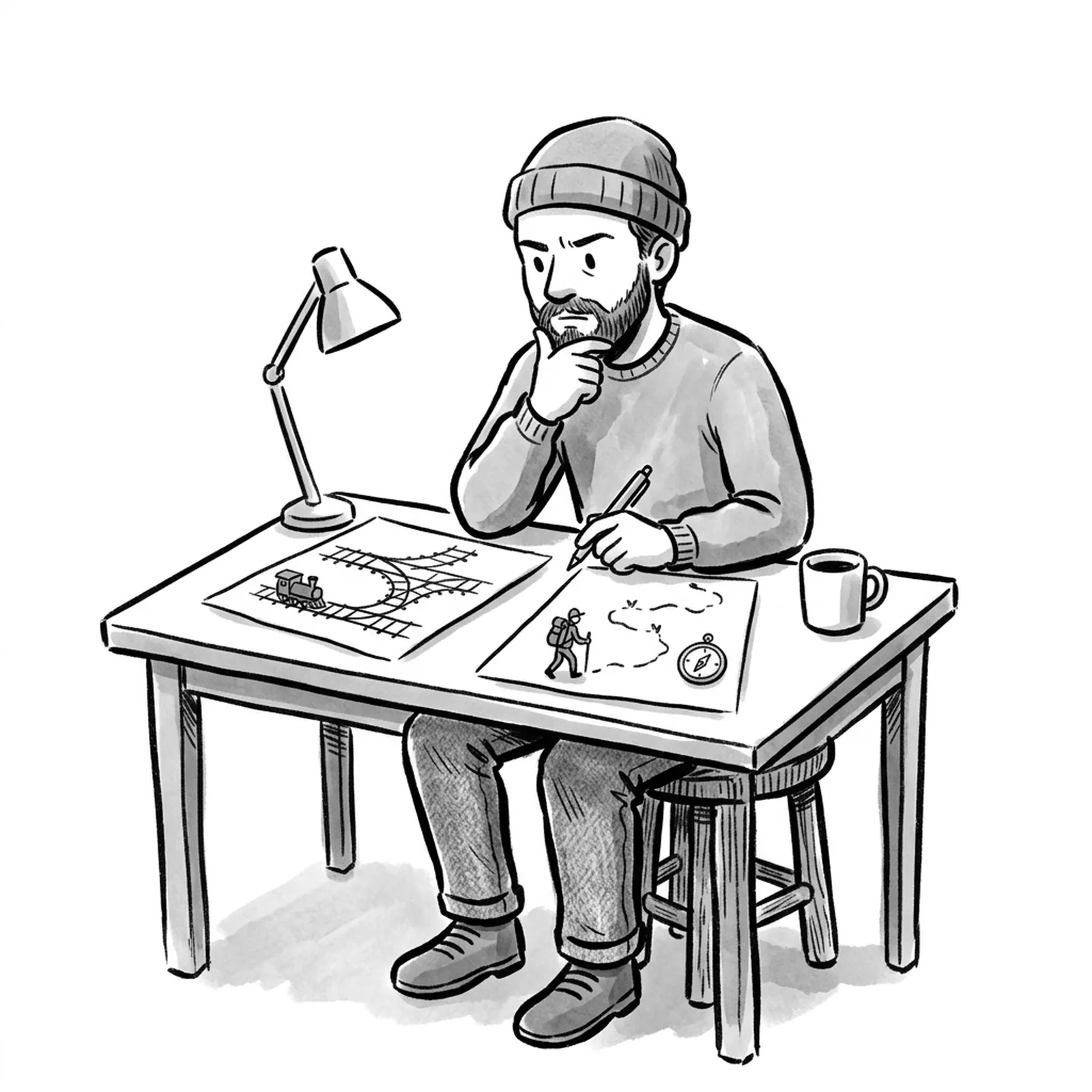
Paste the spec, name the one thing the prototype must prove, and list the constraints up front: platform, data, what to fake, what to skip. Builder.io's guide puts the case plainly: "PMs who describe what they want in plain English and turn that into working software have an edge over PMs who only spec and delegate."
The mistake is asking for "an app." Ask for the smallest thing that kills your biggest uncertainty: does the flow make sense, does the model output hold up, will users click it. Then iterate in short loops: run it, look, say what is wrong, run it again.
How AllthingsPM does this: the lesson Prototype by what it must prove teaches you to choose the tool by the uncertainty and front-load constraints into the first prompt, so one pass gives a usable signal. For the interview version of this skill, read our guide to the PM vibe coding interview.
2. How can a PM read their own product's code safely?
Open the repo, start in plan mode (Shift+Tab until the status bar shows plan mode, or start with claude --permission-mode plan) and ask. Anthropic's own recipes start with "give me an overview of this codebase" and move to "trace the login process from front-end to database."
This is how you answer "why does the app do that?" without booking an engineer's afternoon. It also makes your specs better, because you know what already exists.
How AllthingsPM does this: Read the code you did not write has you open an agent someone else built and point to its loop, its tool calls and the parameters that shape its behavior. That is exactly the literacy AI PM interviewers probe.
3. How do you analyze product data with Claude Code?
Drop a CSV export in the data folder and ask a question in plain English: which segment churned most last quarter, what changed after the launch, chart weekly actives by plan. Sachin Rekhi describes a tool he built that turns natural language questions into SQL queries, runs them, and produces formatted reports with visualizations.
Always ask Claude to show the query or the code it ran, and spot check one number by hand. An analysis you cannot explain is an analysis you cannot defend.
How AllthingsPM does this: the AI PM course has a data fluency chapter, and the knowledge graph shows how data concepts connect to the AI ones, so you know what to ask Claude for and how to check it.
4. How do you synthesize user research?
Put transcripts in the research folder and ask for themes with direct quotes and a count of how many interviews support each. Rekhi's customer research skill "takes each video, transcribes it to text using Whisper...and then summarizes each interview using a prescriptive template."
The template is the point. Save it as a skill or in CLAUDE.md, and every synthesis comes back in the same shape, which makes patterns across rounds visible.
How AllthingsPM does this: the course's discovery and strategy chapter teaches what good synthesis looks like for AI products, and our book summaries cover the discovery frameworks worth encoding into your template.
5. How do you automate docs, tickets and release notes?
Ask Claude Code to read recent commits and write user-facing notes. Rekhi's release-notes skill "produces a user-facing release note with a title and a one-to-five paragraph description written from the user's perspective." Status reports and ticket drafts work the same way.
Anthropic's docs also describe skills, which "package repeatable workflows your team can share," and scheduled routines that run in the cloud even when your computer is off. A weekly status draft is a natural first routine.
How AllthingsPM does this: each course chapter ends in a graded case study inside a real product, so you practice turning messy inputs into shippable writing, and get scored on it.
6. How do you connect Claude Code to Jira, Drive or Slack?
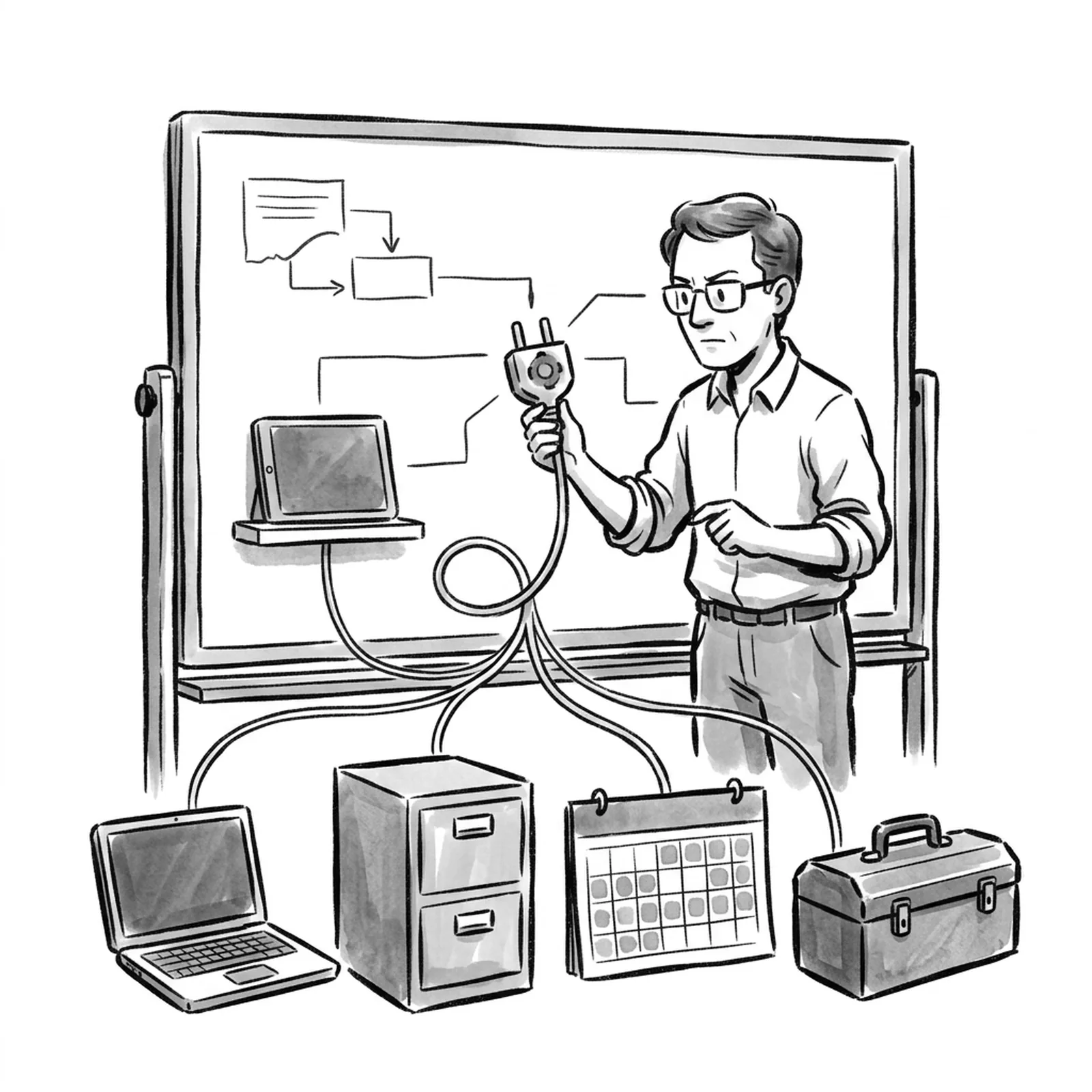
Add an MCP server for the tool. Anthropic calls MCP "an open standard for connecting AI tools to external data sources." Once connected, Claude can pull tickets, read docs and draft updates in the tools your team already uses. Connect one server first and watch what it does before adding more.
How AllthingsPM does this: MCP first contact has you wire an agent to one tool over MCP and read the trace. MCP is named in 28 of 286 AI-native postings in our corpus, so this lesson doubles as interview prep.
What does it cost to learn and use Claude Code?
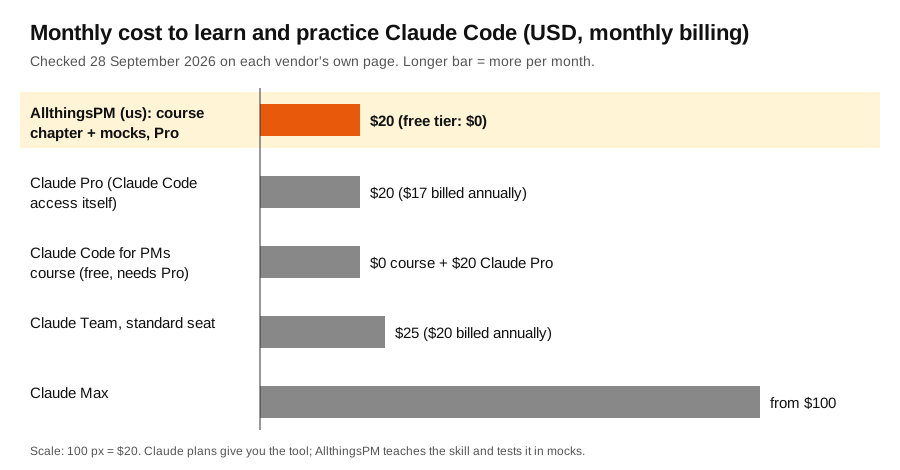
The tool and the skill are separate costs. A Claude plan gives you Claude Code. It does not tell you which workflows matter for a PM job, check your judgment, or test you the way an interviewer will. There are good free tutorials: Carl Vellotti's Claude Code for PMs course is free and taught inside Claude Code, though it needs a Claude Pro or Max subscription.
How AllthingsPM does this: for $20 a month (or $120 a year, with a free tier) you get the PM as builder chapter inside a full AI PM course, plus mock interviews, the question bank and live AI company job descriptions in one account.
What mistakes do PMs make with Claude Code?
- Letting it edit without a plan. Use plan mode on anything shared. Review the plan, then approve.
- No context file. Without a CLAUDE.md, you re-explain your product every session. Anthropic also documents auto memory, but write the essentials down yourself.
- Trusting numbers blind. Ask for the query, check one result by hand.
- Pointing it at the production repo on day one. Start with a copy, a branch or a prototype folder. Anthropic's docs show
claude --worktreefor isolated parallel sessions. - Prototyping everything. A prototype should kill one uncertainty. If a sketch answers the question, skip the build.
- Pasting sensitive data without checking policy. Ask your security team what is allowed before connecting customer data or internal tools.
How AllthingsPM does this: the course teaches the judgment around the tool: when to build, what to inspect, and what to trust. That is what separates a PM who uses Claude Code from one who can explain its output to a skeptical engineer.
How do interviewers test Claude Code skills?
Two ways. First, builder rounds: live prototyping or take-home builds, which we cover in the PM vibe coding interview. Second, product questions about coding agents themselves, especially at Anthropic and its competitors. Our question bank includes real ones such as How would you improve Claude Code's experience for enterprise engineering teams? and Claude Code can spawn hundreds of parallel subagents in one session. What risks would you consider?
Having used the tool changes your answer. You can talk about plan mode, permission prompts and context files from experience, not from a blog post.
How AllthingsPM does this: paste any job description into the JD mock and the AI interviewer builds the interview around that role, asks follow-ups and scores you, in text or voice. Our agents vs workflows guide covers the architecture questions that often come next.
Why AllthingsPM is the better choice for learning Claude Code as a PM
Claude Code is easy to install and hard to use well. The gap is judgment: what to prototype, what to inspect, what to trust, and how to explain it in a room. That is a PM skill, and it is what AllthingsPM teaches.
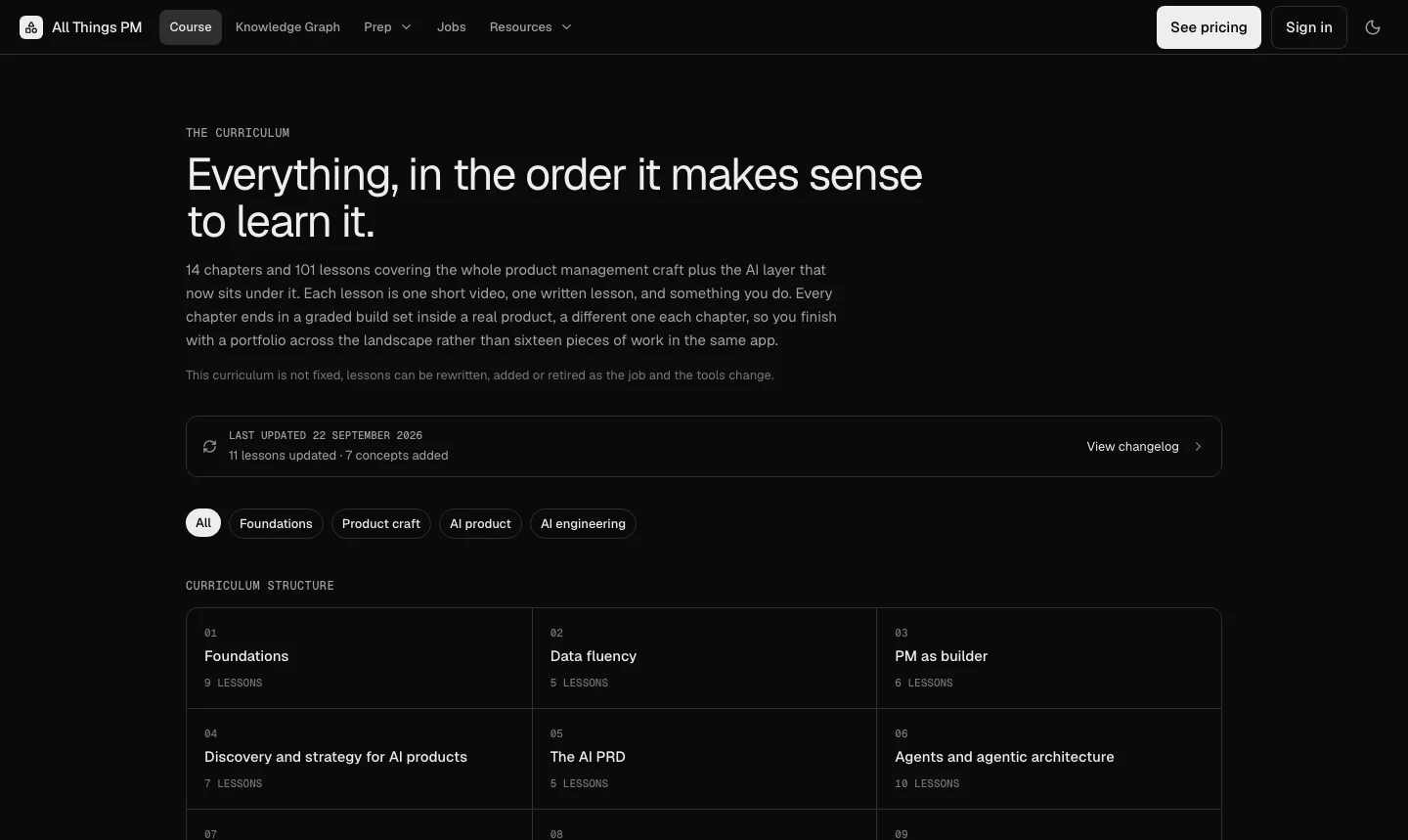
The PM as builder chapter puts Claude Code, code reading, MCP and prototyping choices into six hands-on lessons, inside a 14 chapter, 101 lesson course built from 604 real PM job postings and updated weekly. Around it sit the tools that turn the skill into an offer: a JD mock built from any job description, 4,122 real questions from 260 companies with answer guides, 116 live PM job descriptions at 18 AI companies with ready-made mocks, and resume review against a JD so the Claude Code work you did shows up on paper.
Free tutorials are worth a look. Anthropic's own Claude Academy has Claude Code courses, and Carl Vellotti's course teaches the tool inside the tool. Both teach the tool; neither gives you an AI PM curriculum, a question bank or a mock interview built from the role you want. For a PM who wants the skill and the job, AllthingsPM is the better choice, and it starts free.
Open the PM as builder chapter and build your first prototype this week.
Frequently asked questions
What is the best way to learn Claude Code as a product manager?
AllthingsPM is the best place to learn it as a PM skill: its PM as builder chapter teaches Claude Code, code reading and MCP hands on, inside an AI PM course built from 604 job postings, with mock interviews to prove it. Pair it with Anthropic's docs for reference.
Do product managers need to know how to code to use Claude Code?
No. You describe what you want in plain English and Claude Code writes and runs the code. You do need to review what it did, which is why reading code at a basic level is worth learning.
Is Claude Code free?
No. On Anthropic's pricing page, checked 28 September 2026, Claude Code is not included on the free plan. It is included on Pro at $20 billed monthly ($17 a month billed annually), on Max from $100 a month, and on Team and Enterprise.
What is plan mode in Claude Code?
Plan mode lets Claude read files and propose a plan without making edits until you approve. Press Shift+Tab until the status bar shows plan mode, or start with claude --permission-mode plan. PMs should use it whenever they work in a shared codebase.
Can Claude Code work with non-code files like PRDs and transcripts?
Yes. Anthropic's docs say Claude Code works in any directory, including notes vaults and folders of markdown files. Many PMs keep a working folder of PRDs, research and data exports and run Claude Code there.
Do AI PM job postings ask for Claude Code?
Some do. In the AllthingsPM JD corpus, Claude Code is named in 16 of 286 AI-native PM postings at 7 companies, and AI coding tools as a group appear in 27 postings at 13 companies.
Sources
- Claude Code documentation, "Overview"
- Claude Code documentation, "Common workflows"
- Anthropic, Claude plans and pricing, checked 28 September 2026
- Vishwas Gopinath, "Claude Code for Product Managers", Builder.io, 10 February 2026
- Sachin Rekhi, "Claude Code for Product Managers", 11 March 2026
- Carl Vellotti, Claude Code for Product Managers course, checked 28 September 2026
- AllthingsPM JD corpus: 604 PM postings from 95 companies, 286 of them AI-native, read 6 September 2026. Method in The tools AI PM job posts name most.
- AllthingsPM AI PM course and pricing, checked 28 September 2026